12 Best AI Voice Generators in 2026 (Free & Paid, Compared)
We compared the best AI voice generators of 2026, from ElevenLabs and Murf to budget picks, on realism, voice cloning, languages, free plans and real price per hour of audio.
AI voice generators have gone from robotic to remarkably human in just a few years. Today you can type a script and get narration that sounds like a professional voice actor, in dozens of languages, in your own cloned voice, in seconds.
But with so many tools, picking one is hard. Some are brilliant but expensive. Some have generous free plans but limited voices. Some are built for YouTubers, others for developers or corporate training. And one big name, PlayHT, no longer exists.
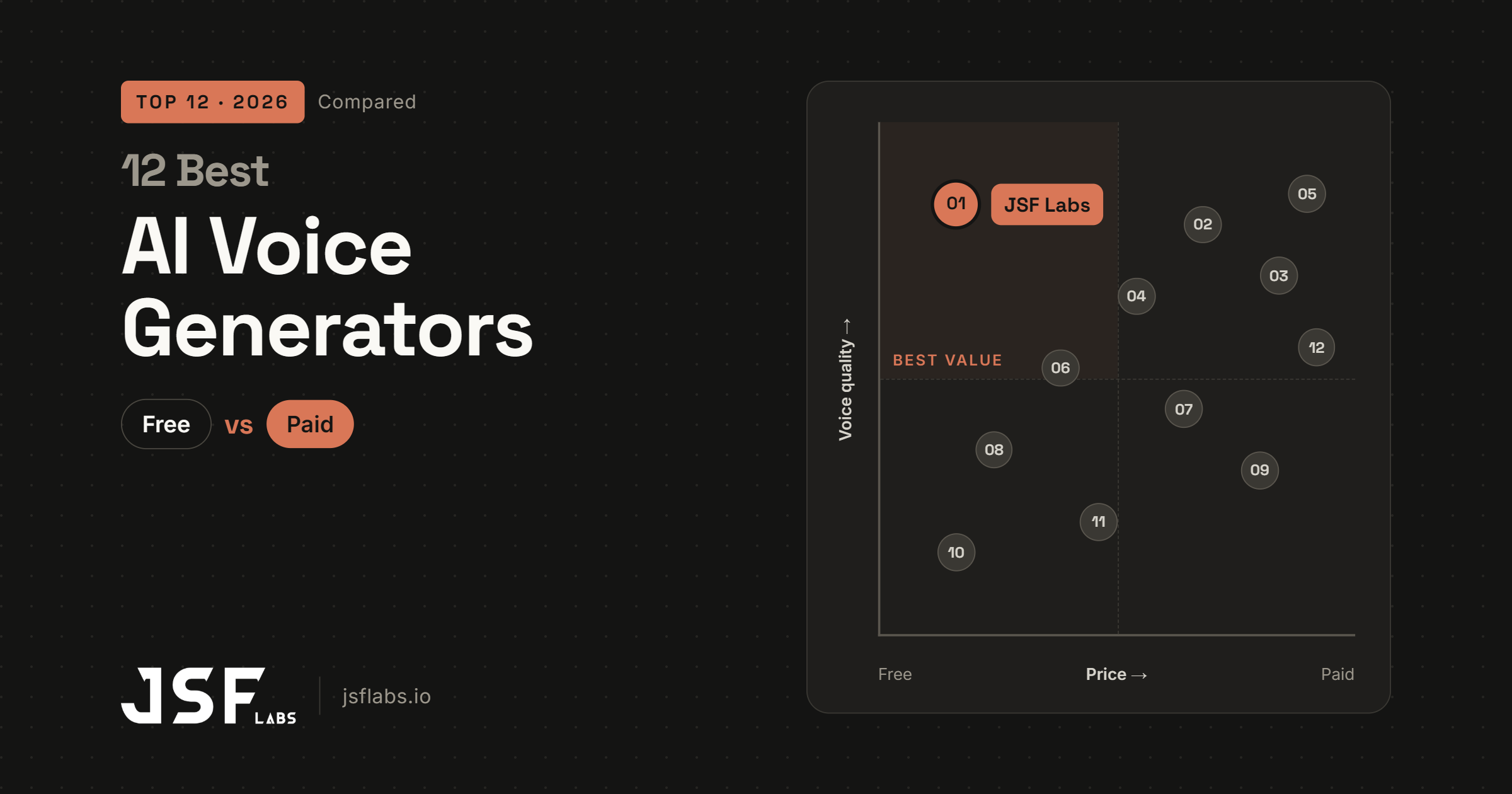
We compared the 12 best AI voice generators in 2026 on realism, voice cloning, language support, ease of use, free plans and real cost, so you can choose the right one for your needs and budget.
Quick picks: best AI voice generator by use case
- Best overall quality: ElevenLabs
- Best value and unlimited voice cloning: JSF Labs
- Best for business presentations and training: Murf AI
- Best for polished English corporate voiceovers: WellSaid Labs
- Best for creators already using Speechify: Speechify Studio
- Best expressive voices on a budget: Fish Audio
- Best for real-time voice agents: Cartesia
- Best free tier for developers: Google Cloud Text-to-Speech
- Best for enterprise brand voices: Microsoft Azure AI Speech
- Easiest for developers on OpenAI: OpenAI TTS
- Best for games and interactive characters: Inworld
- Best for contact centres: Deepgram Aura-2
Comparison table
| AI voice generator | Starting price | Free plan | Voice cloning | Languages | Best for |
|---|---|---|---|---|---|
| ElevenLabs | $6/month | 10k credits/month | Yes | 90+ | Premium quality |
| JSF Labs | ~$4 per 1M characters | 10k characters | Unlimited, all plans | 200+ | Best value, high volume |
| Murf AI | ~$19–29/month | 10 minutes | Yes | 20+ | Business & training |
| WellSaid Labs | ~$10/month | Trial | Enterprise | English-first | Corporate e-learning |
| Speechify Studio | ~$100/year | Limited | Yes | Many | Creators on Speechify |
| Fish Audio | Free tier / $15 per 1M bytes (API) | Yes | Yes | Many | Expressive, budget |
| Cartesia | Free / low-cost Pro | 20k credits | Yes (instant) | 40+ | Voice agents |
| Google Cloud TTS | Pay as you go | 1M chars/month | Gated | Huge | Developers |
| Microsoft Azure | Pay as you go | 0.5M chars/month | Approval | Huge | Enterprise |
| OpenAI TTS | Pay as you go | No | No | Many | OpenAI developers |
| Inworld | Usage-based | Limited | Yes | Many | Games & characters |
| Deepgram Aura-2 | $30 per 1M chars | $200 credit | No | Several | Contact centres |
What to look for in an AI voice generator
- Realism: natural pacing, emotion and pronunciation, especially on long scripts.
- Voice cloning: can you create a voice that's uniquely yours, and does it cost extra?
- Languages and accents: test your actual target language, not just the English demo.
- Price at your volume: one clip a month and 100 hours a month are very different budgets.
- Commercial rights: many free plans don't allow commercial use.
- Ease of use: a simple editor for creators, or an API for developers.
- Stability: PlayHT's shutdown shows why export options and a reliable provider matter.
1. ElevenLabs: best overall voice quality
ElevenLabs is the benchmark for realistic AI voices. Its latest model, Eleven v4, supports 90+ languages with expressive, emotional delivery, and the platform includes dubbing, sound effects, music and voice agents.
- Pricing: Free (10k credits/month), then $6, $22, $99, $299 and $990/month plans
- Pros: top-tier realism, huge voice library, instant and professional cloning, full creative suite
- Cons: expensive at volume (about $165 per million characters on app plans); shared credits drain fast across tools
- Best for: premium content where quality matters more than cost
Want the full breakdown? Read our ElevenLabs pricing guide.
2. JSF Labs: best value AI voice generator
JSF Labs is a cost-effective AI voice platform for text to speech and voice cloning, used by thousands of creators and developers.
- Pricing: about $4 per million characters, dropping to about $2.5 on larger plans. That's roughly 19 hours of audio for $4.
- Free plan: 10,000 free characters
- Voice cloning: unlimited on every plan, in 85+ languages
- Languages: natural voices in 200+ languages and accents
- Extras: speech-to-text, dubbing, a two-speaker podcast studio and a developer API
- Payments: international cards, plus local options in some regions (like JazzCash and Easypaisa in Pakistan)
- Pros: about 95% cheaper than premium tools, cloning without per-voice fees, wide language coverage
- Cons: a smaller ecosystem than ElevenLabs; no on-prem or enterprise compliance certifications yet
- Best for: YouTubers, educators, agencies and developers who produce a lot of audio
3. Murf AI: best for business presentations and training
Murf combines AI voices with a studio editor that syncs narration to slides and video, with integrations for tools like Canva and PowerPoint.
- Pricing: free plan with 10 minutes of generation; paid plans from roughly $19–29/month
- Pros: easy timeline editor, good for presentations, business-friendly
- Cons: minute-based quotas get expensive at scale; fewer languages than some rivals
- Best for: marketers, trainers and corporate teams
4. WellSaid Labs: best for polished English corporate voiceovers
WellSaid focuses on consistent, professional English voices for e-learning, training and corporate video, with an emphasis on ethically sourced voices.
- Pricing: free trial; paid plans start around $10/month, with higher tiers for teams
- Pros: very consistent, professional delivery, with commercial rights on paid plans
- Cons: English-first; broader languages are mostly on enterprise plans
- Best for: corporate L&D and instructional designers
5. Speechify Studio: best for creators already using Speechify
Best known for its text-reading app, Speechify also offers Speechify Studio for voiceovers, dubbing and voice cloning.
- Pricing: Studio plans from about $100/year, separate from the Speechify reading app subscription
- Pros: familiar brand, creator-friendly workflow, cloning available
- Cons: separate products and price lists can be confusing
- Best for: creators and educators already in the Speechify ecosystem
6. Fish Audio: best expressive voices on a budget
Fish Audio offers expressive voices with emotion tags, a large community voice library and fast cloning.
- Pricing: free tier for creators; API at $15 per million UTF-8 bytes
- Pros: expressive, affordable for English, huge voice library
- Cons: byte-based billing makes non-Latin languages (Arabic, Hindi, Chinese) cost 2–3× more
- Best for: English content creators wanting variety and emotion
7. Cartesia: best for real-time voice agents
Cartesia's Sonic models are built for speed, with very low time-to-first-audio over streaming APIs.
- Pricing: free tier (20k credits), then low-cost and scale plans
- Pros: excellent latency, emotion controls, instant cloning
- Cons: developer-focused; pricier per character for long-form content
- Best for: AI receptionists, phone agents and live assistants
8. Google Cloud Text-to-Speech: best free tier for developers
Google's Chirp 3: HD voices are high quality, and its free tier is generous.
- Pricing: first 1M Chirp 3: HD characters free each month, then $30 per million
- Pros: huge language coverage, reliable, generous free tier
- Cons: developer console only, no creator studio; custom voices are gated
- Best for: developers prototyping or building on Google Cloud
9. Microsoft Azure AI Speech: best for enterprise brand voices
Azure offers hundreds of neural voices, deep SSML control and Custom Neural Voice for a fully owned brand voice.
- Pricing: $15 per million characters for neural voices; 0.5M free per month
- Pros: precise control, compliance, regional deployment
- Cons: custom voices require approval; technical setup
- Best for: large companies and regulated industries
10. OpenAI TTS: easiest for developers on OpenAI
OpenAI's gpt-4o-mini-tts lets you describe how text should be spoken ("warm and encouraging") alongside the text.
- Pricing: from $15 per million characters (tts-1);
gpt-4o-mini-ttsis roughly $0.015 per minute - Pros: simple integration, prompt-based style control
- Cons: preset voices only, with no self-serve cloning
- Best for: apps already built on the OpenAI API
11. Inworld: best for games and interactive characters
Inworld started in AI characters for games and now offers a standalone TTS API with realtime streaming, voice design and cloning.
- Pros: expressive, steerable voices; good voice-agent integrations
- Cons: pricing varies by plan, so the true cost is harder to compare
- Best for: game studios and interactive experiences
12. Deepgram Aura-2: best for contact centres
Deepgram's Aura-2 is built for clear, professional business speech: names, numbers and technical terms.
- Pricing: $30 per million characters, with $200 free credit
- Pros: STT + TTS in one platform, on-prem deployment option
- Cons: no voice cloning; less expressive for storytelling
- Best for: IVR, call centres and enterprise voice bots
How much does an hour of AI voice cost?
One hour of narration is roughly 51,000–60,000 characters. Approximate cost per hour:
| Tool | Approx. cost per hour of audio |
|---|---|
| JSF Labs | ~$0.13–0.20 |
| OpenAI (tts-1) | ~$0.80–0.90 |
| Azure (Neural) | ~$0.80–0.90 |
| Google (Chirp 3: HD) | ~$1.50–1.80 |
| Deepgram (Aura-2) | ~$1.50–1.80 |
| ElevenLabs (API, v4) | ~$4–5 |
| ElevenLabs (app plans) | ~$8–11 |
| Human voice actor | $100–500+ |
For anyone producing audio regularly, the difference adds up fast: 100 hours a month costs about $15–20 on JSF Labs versus $800+ on premium app plans.
Best AI voice generator by use case
| You are… | Best choice |
|---|---|
| A YouTuber or faceless channel creator | JSF Labs or ElevenLabs |
| An educator or course creator | JSF Labs or Murf |
| A corporate trainer (English) | WellSaid or Murf |
| A podcaster | ElevenLabs or JSF Labs (podcast studio) |
| A developer building an app | JSF Labs, OpenAI or Google |
| Building a real-time voice agent | Cartesia or Deepgram |
| An enterprise with compliance needs | Azure or Google |
| A former PlayHT user | JSF Labs or ElevenLabs |
| On a tight budget | JSF Labs or Fish Audio |
Tips for getting the most realistic AI voice
- Write for speaking: short sentences, conversational words.
- Use punctuation to direct pacing: commas for short pauses, full stops for longer ones.
- Generate in sections: better consistency, easier fixes.
- Spell tricky names phonetically.
- Match the voice to the content: calm for documentaries, energetic for ads.
- Clone your own voice for a unique brand. See our voice cloning guide.
- Normalize audio levels in your editor so every video sounds consistent.
Are AI voices legal to use commercially?
Yes, if your plan includes commercial rights. Many free plans don't, so always check before publishing ads, YouTube videos or paid courses.
For voice cloning, only clone your own voice or a voice you have written permission to use. Cloning celebrities or other people without consent can break platform rules and may be illegal.
Frequently asked questions
What is the best AI voice generator in 2026?
ElevenLabs offers the best overall quality, while JSF Labs offers the best value, with unlimited voice cloning and pricing from about $4 per million characters. The right choice depends on your budget, languages and volume.
What is the best free AI voice generator?
Most tools offer free credits rather than unlimited free use. ElevenLabs gives 10,000 credits a month, JSF Labs 10,000 free characters, Murf 10 free minutes, and Google Cloud 1 million free characters a month for developers. Free plans usually don't include commercial rights.
What is the most realistic AI voice generator?
ElevenLabs is widely considered the most realistic, with JSF Labs, Fish Audio and Cartesia also producing very natural voices. Test your own script on two or three tools, because realism varies by voice and language.
Which AI voice generator has the best voice cloning?
ElevenLabs offers excellent instant and professional cloning on paid plans. JSF Labs includes unlimited voice cloning on every plan at no extra cost per voice.
What is the best PlayHT alternative?
PlayHT shut down on December 31, 2025. JSF Labs and ElevenLabs are the closest all-round replacements, offering text to speech, voice cloning and API access.
Can I use AI voices on YouTube?
Yes. AI voices are allowed and can be monetized, as long as your content is original and not mass-produced. Read our AI voiceover for YouTube guide.
Which AI voice generator supports the most languages?
Google Cloud, Microsoft Azure and JSF Labs (200+ languages) offer some of the widest language coverage.
Final verdict
- Best quality: ElevenLabs
- Best value and unlimited cloning: JSF Labs
- Best for business training: Murf AI or WellSaid
- Best for developers: JSF Labs, OpenAI or Google
- Best for real-time agents: Cartesia
The best AI voice generator is the one that sounds right in your language, for your content, at your budget. Try two or three free plans with the same script, then choose.
Want natural voices without premium prices? Start free on JSF Labs: 10,000 free characters, unlimited voice cloning and 200+ languages.
#aivoicegenerator #texttospeech #voicecloning #aivoiceover #elevenlabsalternative
Hear your words in a studio-grade voice.
Try JSF Labs text to speech and voice cloning free. No card needed.